Last, first and middle name
Fill only the parts of the name you know.
SHERLOCK REPORT / PARTIAL DATA
Partial-data search in Sherlock Report lets you enter only what you know. The form has no mandatory fields: start with a surname, age or part of a birth date.
Open the bot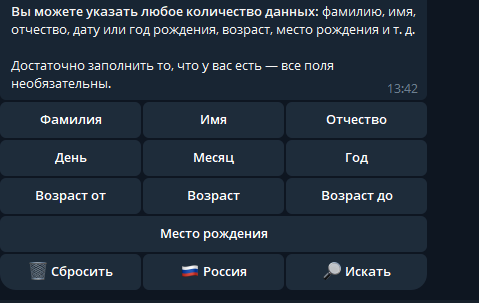
Fill only the parts of the name you know.
The date uses separate fields; a complete date is not required.
The menu includes Age, Age from and Age to.
An additional field to help refine matches.
A surname or approximate age may not identify a unique match. Refine the query using known details and check results against original sources. Optional fields do not mean that a result is guaranteed.
All search formats ↗